
Me, Myself and AI

Matt McQueen · 13 min read
On this page
A couple of months ago I decided to leave Wix. The sensible thing would have been to drop to its free plan, or move to WordPress like a normal person would.
Instead, I built my own blog.
Well, "I" is doing some heavy lifting in that sentence. I built it with Claude, an AI, doing most (really, all) of the coding, while I did the pointing and the occasional "no, not like that".
It's a hobby project. I'm a software developer by trade, but I wanted to find out what it's actually like to build something real with AI, rather than just reading about it. Also, I didn't want to create the ubiquitous to-do list.
So this post is partly a tour of the blog, partly a look behind the curtain, and partly an honest answer to the question "was it worth it?".
It's a long one. Luckily, the blog now puts a table of contents beside long posts (or folds it away under the title on a phone), and a thin progress bar across the top of the window, so you can see how much more of this there is. Feel free to skip to the costs, if that's your thing.
Leaving Wix
This blog used to be Matt Also Writes, on Wix. Wix was fine. It's a good product, but I was paying for a site builder full of features I never used, to host a blog I rarely wrote for.
I'd just gone back to work, and I wanted a side project that would teach me more about developing software with AI. A blog seemed ideal: small enough to finish, but with enough moving parts (a database, image uploads, sign-in, emails, search engines) to be a proper test.
So on 17 September 2026 I started, and by the end of that day the new blog was live at its own address, with all eleven old posts copied across from Wix, word for word. Since then it has had about a hundred updates, and I have written four new posts, including this one. I think we can all see where the priorities lie.
Building software with AI
I used Claude Code, Anthropic's coding tool, mostly in its desktop app. You describe what you want in plain English, and it reads the existing code, makes the changes, runs the tests, and asks you before it does anything that matters.
My job turned out to be less "programmer" and more "product manager with one very fast employee who never sleeps". I decide what the blog should do, and how it should look. Claude suggests how to do it, points out problems I hadn't thought of, and writes the code. Each change arrives as a pull request with an explanation, and I review it before it goes live.
Some things I've learned so far:
It's fast. Things that would have taken me an evening, like scheduling posts for a future date, took minutes. That's how a one-week-old blog ends up with more features than posts.
It's thorough, if you ask it to be. It writes tests for its own work, and more than once the tests caught a mistake before I did.
It still needs a human in the loop. It's confident, and occasionally confidently wrong. During one test run on my PC it deleted the wrong book from my Books page, because it clicked the wrong Delete button. It owned up, and put the book back. I've worked with people who wouldn't have done either.
It forgets things between conversations, unless it writes itself notes. Luckily, it does, so it now remembers my preferences, like "every Save button needs a Cancel button beside it" and "always tell me the time in UK time, not UTC".
You still need to know what good looks like. Years of software development haven't been wasted. They've just moved from typing the code to judging it.
Letting it loose in a browser
Building a website isn't just code. There's a surprising amount of clicking around other people's websites: setting up hosting on Microsoft Azure, settings in GitHub, DNS records for the domain, a LinkedIn developer app, error alerts and so on.
For much of that, I used Claude in Chrome, which lets Claude drive my web browser. It can read the page, click buttons and fill in forms, which is ideal for the kind of settings page that's buried six menus deep.
It has its limits, though:
It won't sign in for you. Passwords, secret keys and sign-in screens are mine to deal with, which is exactly how it should be. It can take me to the right page, but I type the secrets myself.
It asks first. Anything on a real website that can't be undone, like deleting something or submitting a form, needs a yes from me. Some things, like starting a deployment of the live site, it simply isn't allowed to do, so I click that button.
Clicks don't always land. The Azure portal in particular seems to ignore about half of what it's told. Claude usually finds another way round, but it can take a few attempts.
You still have to read what it's about to do. My domain registrar has two ways to edit DNS records, and one of them can replace every record in one go. Claude spotted that and used the safer one this time, but it's the sort of thing you want to check before, not after.
Even with those limits, it's much faster than me following a 20-step guide written for last year's version of the portal.
What you'll find here
The posts themselves are a mix of software, AI, books, TV, basketball and updates on life in general, whenever I get round to writing them. If you're a visitor, most of what I've described so far is invisible, which is the point. But here's what you can do on the blog.
Get new posts by email
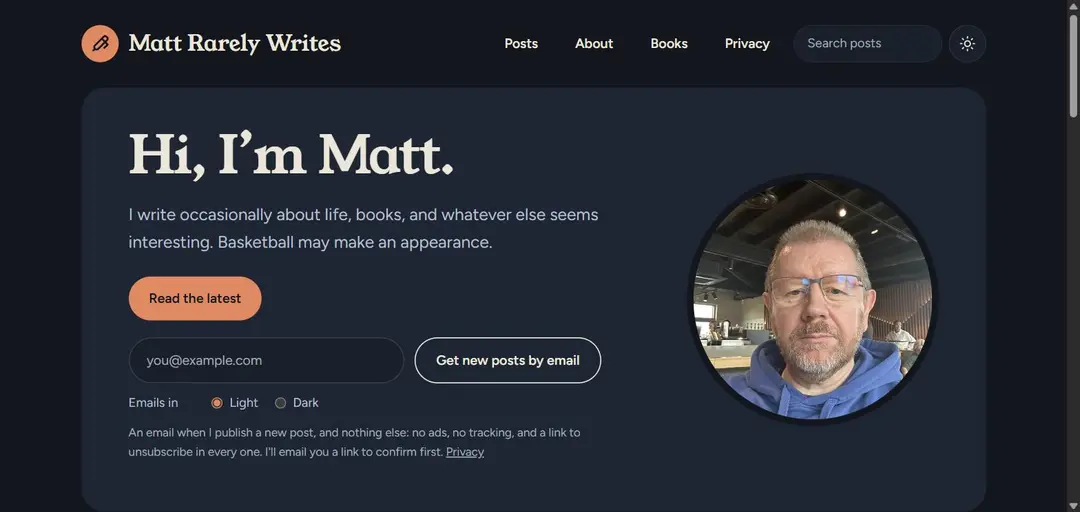
Since I rarely write, it's easy to miss a new post. So you can now put your email address in the box on the home page (or on the subscribe page) and you'll get an email whenever I publish something new.
That's all you'll get: no adverts, no tracking, no "we miss you" emails. You'll be sent a link to confirm first, you can choose whether the emails come in light or dark colours, and every email has a one-click unsubscribe link. The privacy page explains exactly what's kept and why.
Comments, via Bluesky
Every new post is shared on Bluesky, and replies there appear as comments at the bottom of the post here. So if you want to comment, reply on Bluesky. If you don't use Bluesky, you can still read everyone else's comments.
Why Bluesky, rather than a comment box? A comment box would either need sign-ins and passwords, or it would fill up with spam, and I'd spend more time moderating comments than writing posts (not that I write many posts). After my cybersecurity course, I'd also rather not be looking after anybody's passwords. Bluesky already takes care of accounts, blocking and moderation, and it's my favourite social network anyway. It also means the conversation isn't stuck on the blog: anyone on Bluesky can see it and join in. And if a reply isn't suitable for the blog, I can hide it here with one click (so there is some moderation, but it's minimal).
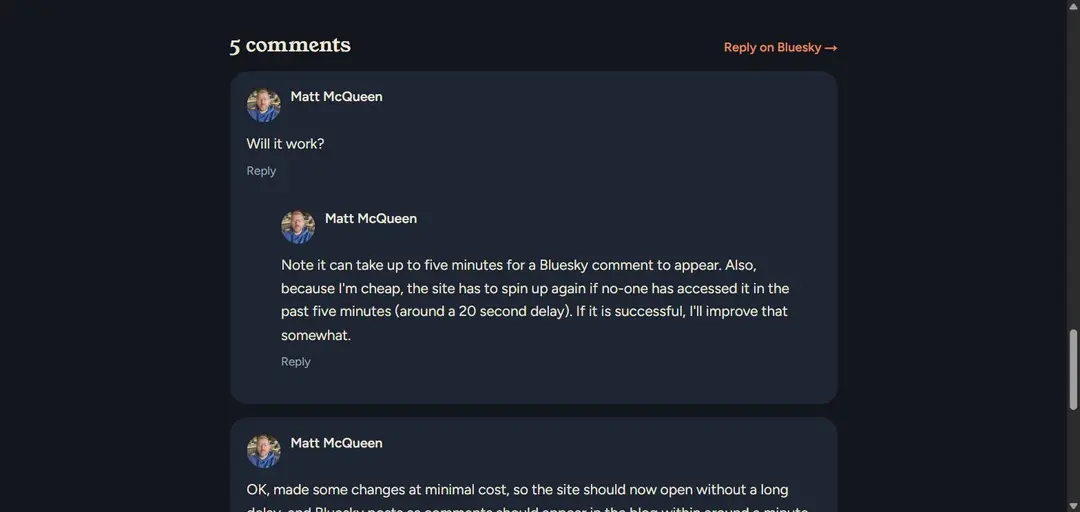
Your browser never contacts Bluesky to show them: the blog fetches the replies itself, so reading comments doesn't hand anybody your details.
Finding your way around
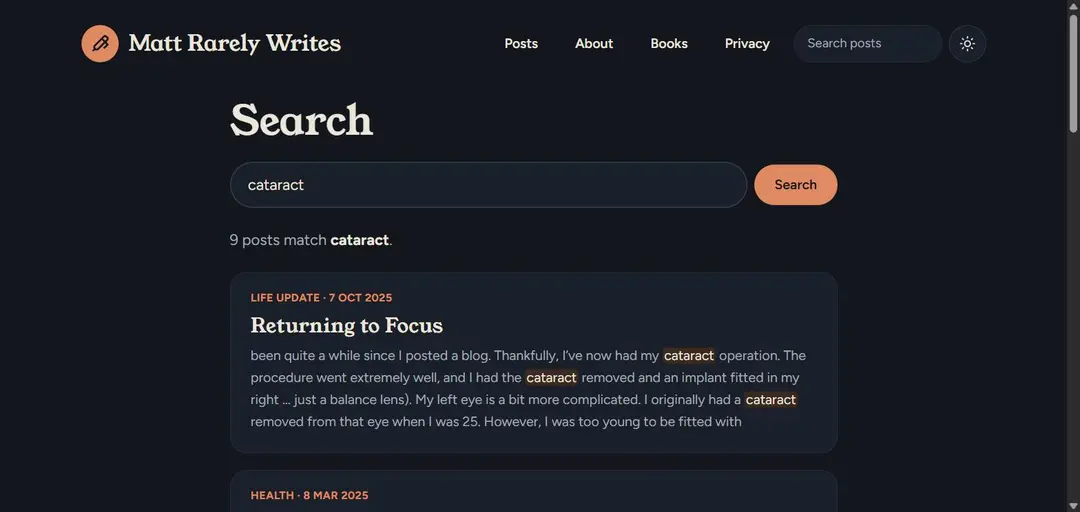
There's a search box at the top of every page (a magnifying glass, on a phone). It highlights the words you searched for, so you can see why a post matched.
There's also:
an archive of every post by month, and pages for each category;
related posts at the end of each post, and a list of the most popular ones;
series, for posts that are meant to be read in order, and photo galleries that open full screen (I haven't used either yet, but they're ready when I am);
RSS feeds, for the whole blog or just one category, if you're one of the people who still use a feed reader (hello, both of you);
a light and dark mode switch (the sun/moon icon at the top), which remembers your choice;
and the Books page, with my short stories, in case you fancy some fiction set in a version of Glasgow.
Things you won't find
There's no cookie banner, because the blog doesn't set any cookies for visitors. It counts page views itself, without cookies or Google Analytics, and each visitor is only counted once a day. There are no pop-ups asking you to subscribe, either. You've already seen the only request, and it was very polite.
Behind the scenes
The part you don't see is the admin, where I write and manage everything. It's only for me, and signing in needs my Microsoft account or a passkey on one of my devices.
Writing and publishing
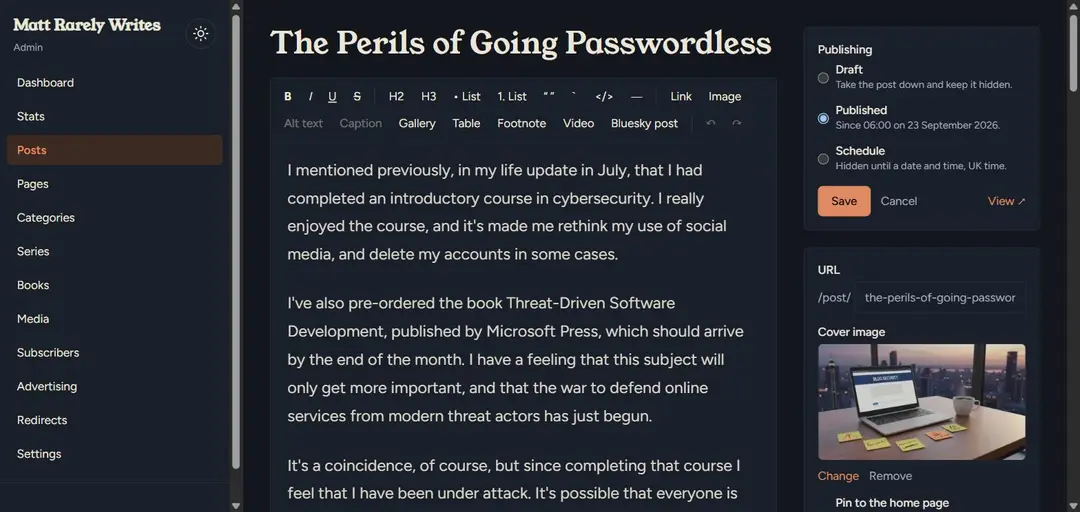
The editor has what you'd expect: headings, lists, quotes, links, and images with alt text and captions. It also has a few things I asked for along the way, like tables, footnotes, photo galleries, videos, and Bluesky posts embedded in a post.
It saves as I go, and keeps earlier versions. I can save a post as a draft, publish it now, or schedule it for a date and time in the future (in UK time, obviously). I can send a private preview link to someone before a post goes live, duplicate a post, or pin one to the top of the home page.
Sharing, automatically
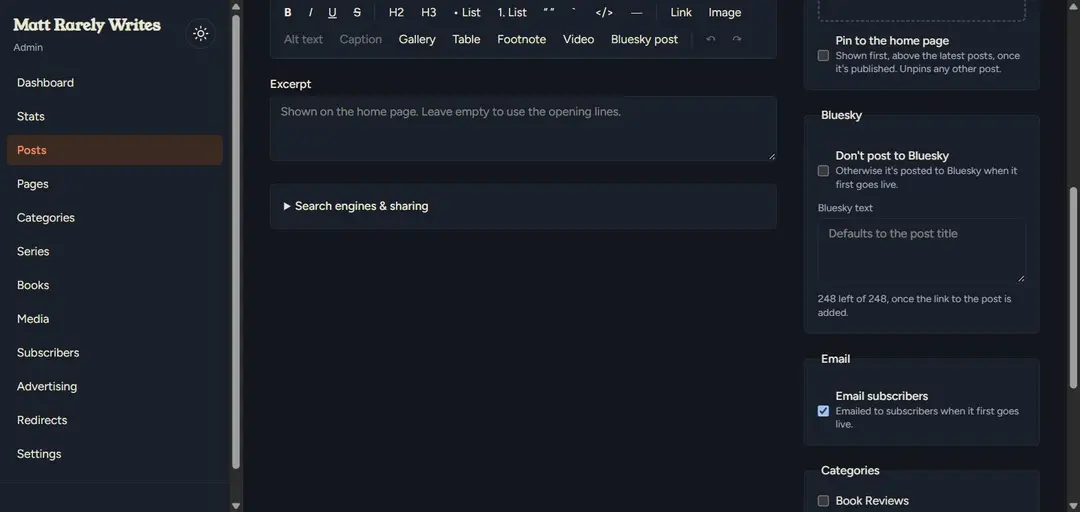
When a post goes live for the first time, the blog shares it on both Bluesky and LinkedIn, and emails it to subscribers. There's one text box for both social media posts, with a count of how many characters I have left (Bluesky allows far fewer than LinkedIn, so Bluesky sets the limit), and tick boxes to skip Bluesky or the email, in case I'd rather keep a post quiet (why would I ever want to do that?).
The emails are sent in batches in the background, to stay within my email provider's limits, and anyone whose address stops working is removed automatically.
Stats, without the snooping
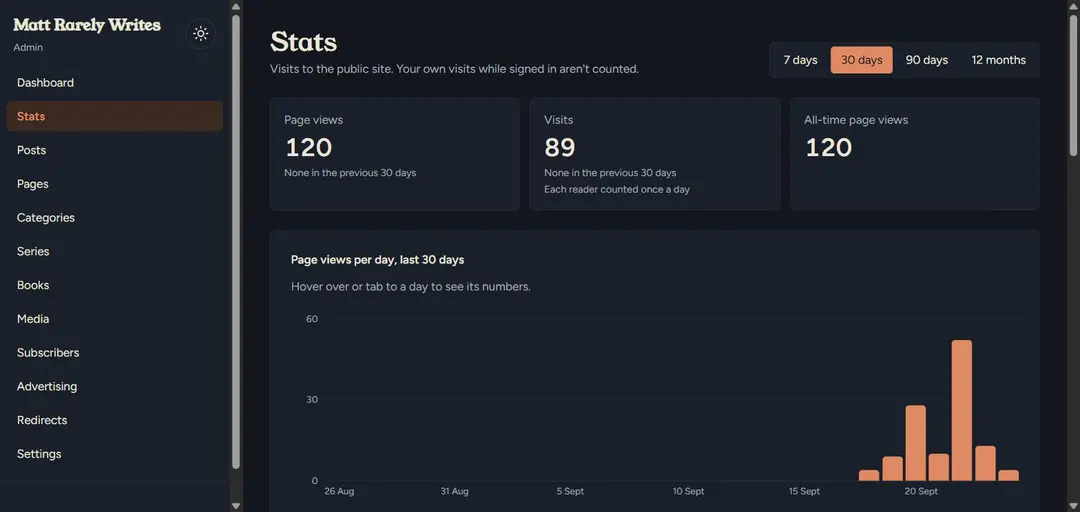
The Stats page shows page views and visits, the most-read posts, and where readers came from. My own visits aren't counted, and neither are search engine robots. Every Monday morning I'm sent a summary email, which also tells me if anything needs fixing.
Keeping things tidy
This is where it gets a bit nerdy, so feel free to skip ahead. The admin also:
checks every post for broken links, missing alt text, missing pictures and missing descriptions for search engines, and lists anything that needs attention on the dashboard;
resizes every uploaded image into several sizes, so phones don't download pictures meant for big screens;
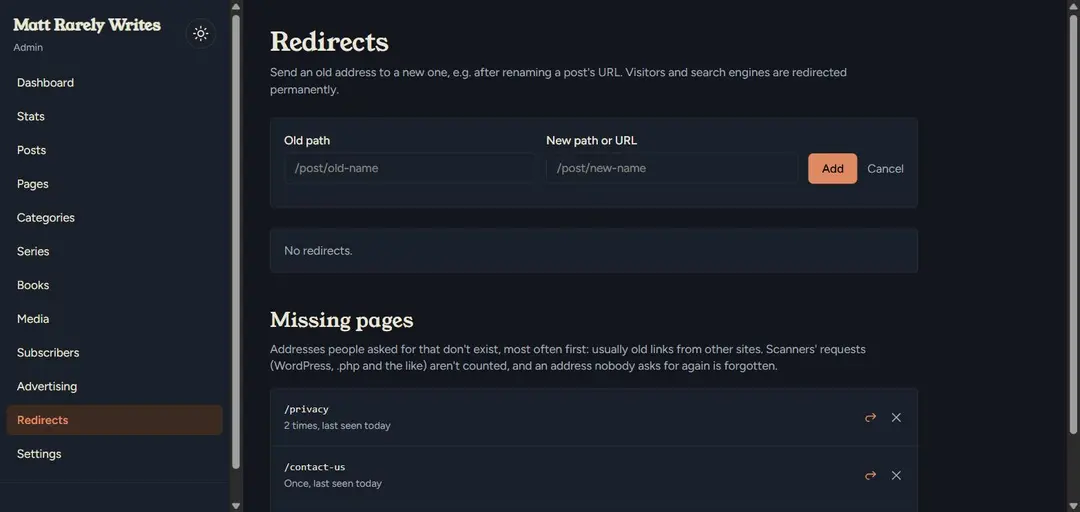
keeps a list of missing pages that people asked for, so I can point them somewhere useful with one click;
lets me download a backup of the whole site as one file, and restore it somewhere else if I ever need to.
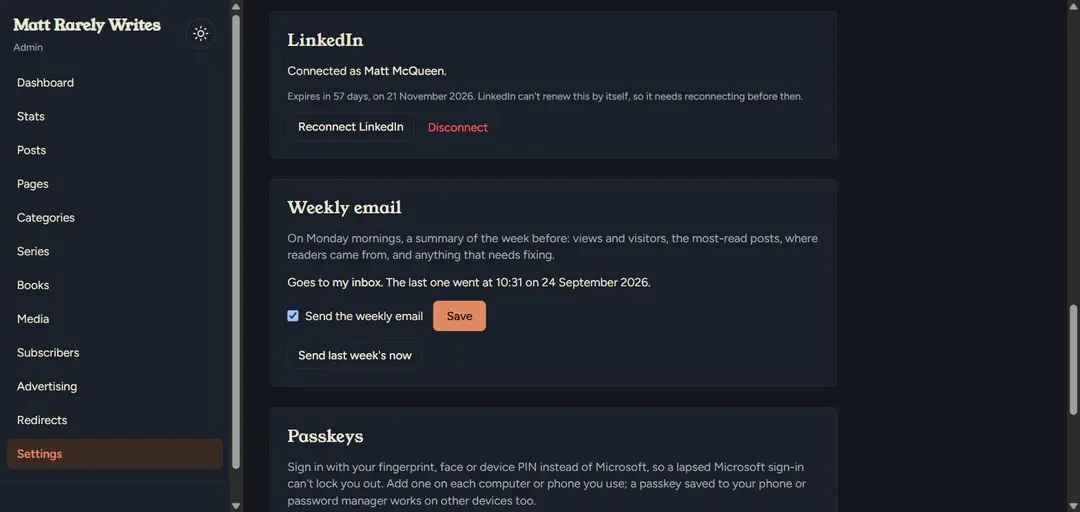
The Settings page looks after the LinkedIn connection and the weekly email. LinkedIn only lets a connection last 60 days, so the page counts down and warns me before it runs out.
What it costs
Now for the bit everyone skipped to: how it compares with Wix and WordPress. These are rough prices as of September 2026, for the cheapest plans that would do what this blog does, paying for a year at a time.
| This blog | Wix | WordPress.com |
|---|---|---|---|
Hosting | £0 for now, on free allowances | £108 a year (Light plan) | £84 a year (Premium plan) |
Domain name | £20 for five years | free for the first year, then extra | free for the first year, then extra |
AI helper | £180 a year (Claude Pro) | not needed | not needed |
Features built in | only what I need | lots | lots, and thousands of plugins |
My time | quite a bit | very little | a little |
A few things worth saying about that table.
The hosting isn't free forever. The site runs on Microsoft Azure, and it costs nothing at the moment because it fits inside Azure's free allowances. The database's free offer runs out in September 2027, after which it would cost around £12 to £16 a month (roughly £145 to £190 a year), unless I move it somewhere cheaper first.
Claude is the biggest cost, but I don't only use it for the blog, so it's not really a fair comparison. If you already pay for an AI subscription, the blog itself costs next to nothing.
Wix and WordPress do a lot more. They have shops, bookings, hundreds of templates, drag-and-drop page design, plugins for almost anything, and support staff to help when it breaks. This blog has none of that. But it does everything I need, and if I need something new, I can usually add it the same day.
The real cost is time. With Wix, somebody else keeps everything up to date, secure and running. Here, that's me (and Claude). Updates, security fixes and the occasional "why is that broken?" all land on my desk. If you want a blog and you don't enjoy tinkering, Wix or WordPress is the better choice. If tinkering is the point, as it was for me, this is a lot more fun.
How it was built
For anyone curious about the nuts and bolts, here's what's under the bonnet, with links. All of it is free, apart from Claude, the domain name and, eventually, the hosting.
The software
Claude Code for writing the code, and Claude in Chrome for the clicking around.
Next.js and React for the website itself, styled with Tailwind CSS.
PostgreSQL for the database, through Drizzle.
Better Auth for signing in to the admin, with a Microsoft account or a passkey.
Azure Container Apps to run the site, with Azure's PostgreSQL, Blob Storage for images and Communication Services for emails, all in the UK.
GitHub to keep the code, and GitHub Actions to test and deploy every change.
Sentry to tell me when something breaks, and check every five minutes that the site is still up.
Porkbun for the domain name, and Docker to run a copy of everything on my own PC.
Testing
If AI is writing the code, you need a good way of knowing it works. So the blog has two sets of tests, and nothing goes live unless they all pass.
Over 300 unit tests, which check the small pieces: that a post scheduled for 9am goes live at 9am UK time (even when the clocks change), that a Bluesky post never goes over its character limit, that emails survive Outlook's dark mode, and so on.
Over 200 browser tests, using Playwright, which open the site in a real browser, on a desktop and on a pretend phone, and click through it like a visitor would. Some of them sign in to the admin and write, edit and delete posts, then tidy up after themselves.
Accessibility checks, using axe, as part of the browser tests, so the site works for people using screen readers or a keyboard.
They've earned their keep. The browser tests found that long links in old posts pushed the page wider than a phone screen, and that anything typed into a form before the page had finished loading was quietly thrown away. Neither would have been much fun to find the hard way.
Code quality, with Fallow
AI is very good at writing code, and very good at writing more of it than you need. So I also use Fallow, a free tool that looks for code nobody uses any more, code that's been copied and pasted in several places, and files that are getting too complicated.
Its first run led to a clear-out of the old Wix import code and other bits nothing used any more, and a few duplicated chunks were tidied up. The site's current health score is 78, a solid B. Oh well, nobody's perfect.
For good measure, the site has also been through a few free security scanners, and gets an A+ from both Security Headers and MDN Observatory.
Over to you
So, was it worth it? For me, yes. I've got a blog that does exactly what I want, I've learned a lot about working with AI, and I've had more fun than I expected. Whether I'll actually write blog posts more often is another matter. The name of the blog was chosen for a reason.
I'd love to hear how other people are using AI to build software, whether it's at work or at the kitchen table. Are you letting it write the code, just asking it questions, or using it as the ultimate autocomplete? Has it saved you time, or cost you a weekend?
How do you measure code quality, and avoid bugs?
And has it ever dropped a table from your database? Or, worse, deleted one of your books?
Reply to this post on Bluesky, and your reply will turn up in the comments below. Or leave a comment on LinkedIn. I promise to read them all, even if I rarely write back.
Cover photo by Mohamed Nohassi on Unsplash.